 Italiano
 English
The back office for food festivals: set it up yourself, follow every euro
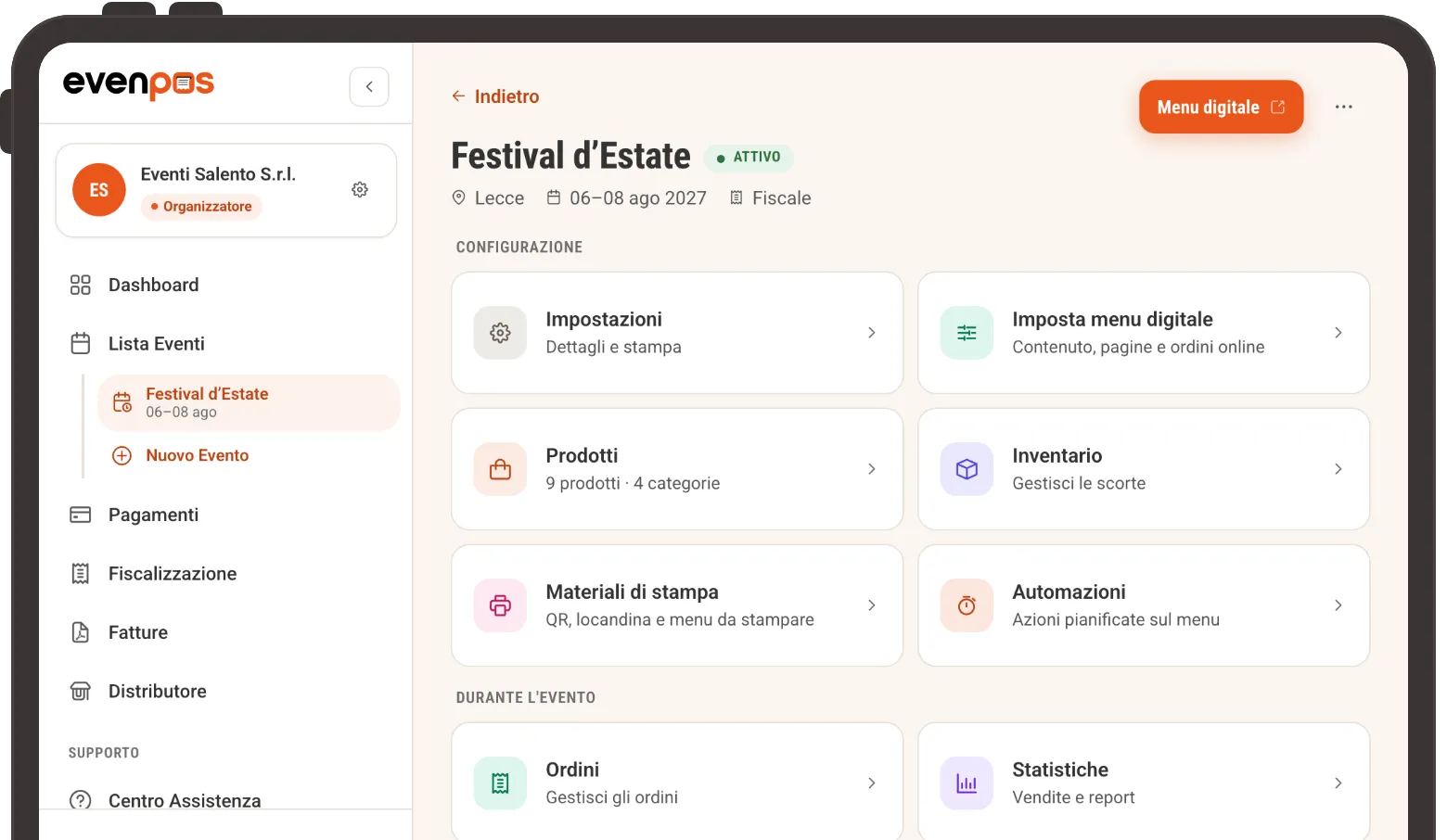
Create the event, load the menu and request the tills from your phone or computer. During the event you see the takings in real time; at the end the summary is ready.
Running large events or festivals?Talk to a specialist
What it does
An event in four steps
Name, dates, town and summary: you see right away whether the area is covered and what each till costs per day.
Guides you to the request
A “what’s missing” list takes you to the till request, even with a different number of tills per day.
A menu from a photo
Upload a photo, a PDF or a text of your price list: AI reads it and you check it before it goes in.
Voice commands
Say “switch off the beer and put the fries at 3 euros” and the back office prepares the changes, applied after you confirm.
Stock
The count goes down with every sale, you get an alert when stock is low and at zero the item switches off everywhere.
Automations
Close the kitchen at 10 pm, change a price after happy hour or switch online orders off at the time you choose.
Live statistics
Takings, average order, items, tills and time slots update as you sell. Orders export to Excel.
Notifications
Alerts arrive by email, in the bell and, if you like, on your phone even with the back office closed.
Next year in one click
At the end you get the PDF recap; with “Duplicate” you start again with the same menu and settings.
What you need to start
- Your association’s or company’s details (VAT number or tax code, SDI code or PEC address).
- Stripe connected, with an IBAN and an ID of the legal representative.
- For a fiscal event, the Fisconline credentials of the Italian Revenue Agency.
What people ask us
Go to the Help center (Italian)Do I need to install anything?
No: it runs in the browser, on a computer, tablet or phone. If you like, add it to your home screen like an app.
Can I change the menu during the event?
Yes: changes reach the tills and the digital menu straight away, by voice too or scheduled with automations.
Does the AI change the menu on its own?
No: it proposes, and you confirm or correct before anything goes in.
Do I have to start from scratch next year?
No: duplicate the event, pick the new dates and request the tills.
Other solutions
Cash register
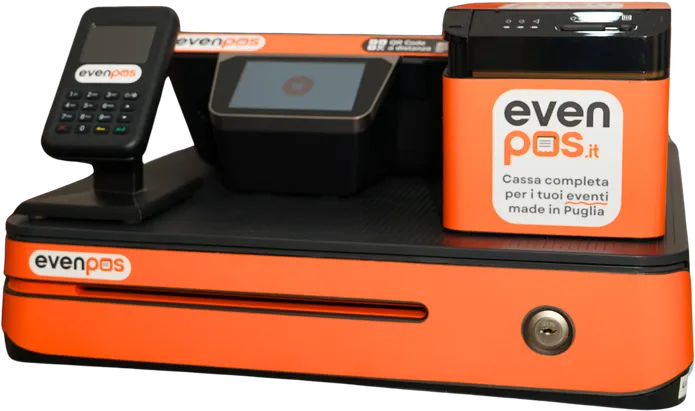
The till system for events, rented for food festivals, fairs and festivals in Italy: dual-screen till, connected card terminal, printer and cash drawer, with your menu already loaded. Volunteers tap the items, take the payment and the tickets print by themselves.
The digital menu
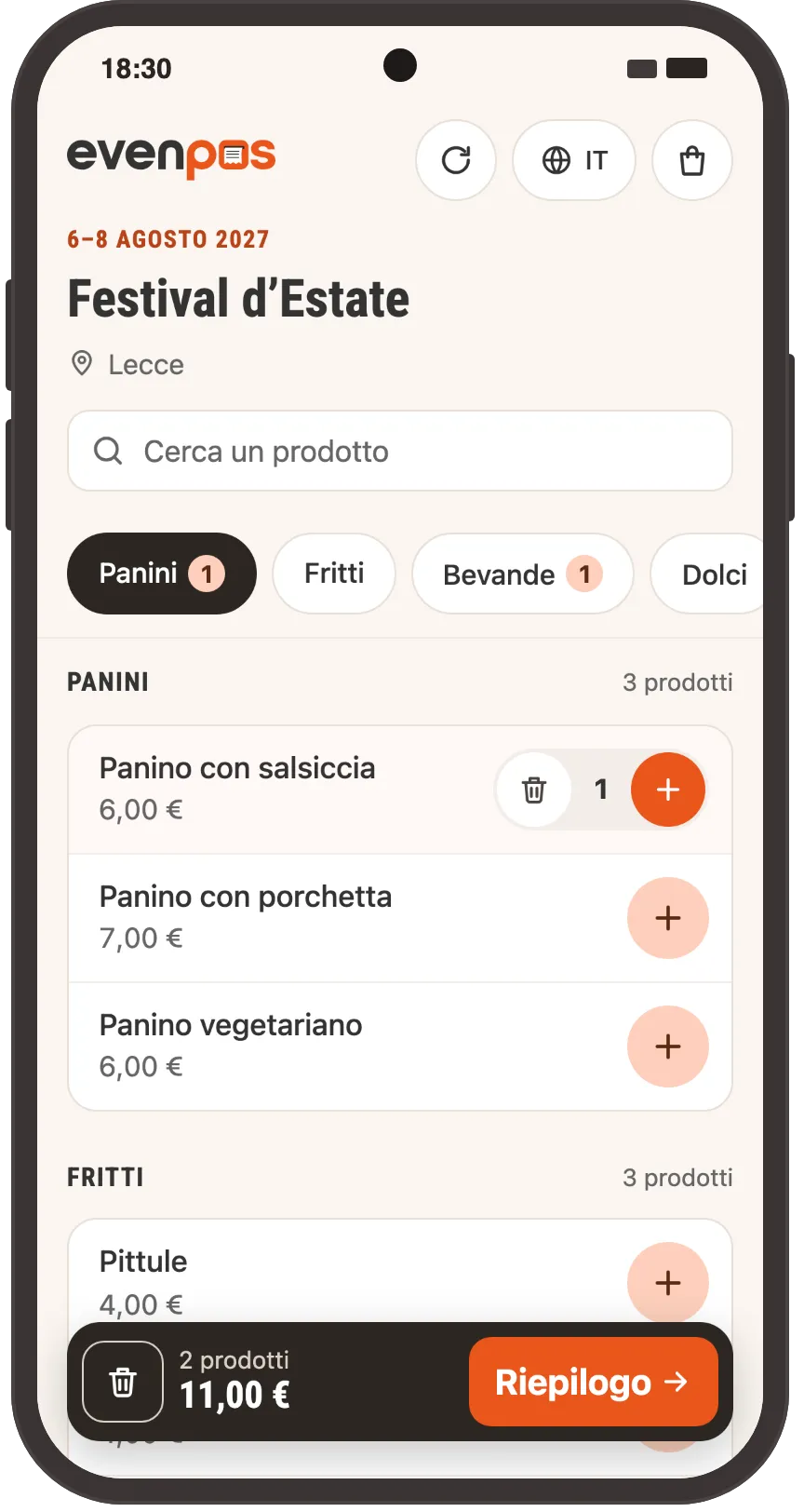
Your customers browse the menu on their phone, order and pay while they wait. No app to download.
Connectivity
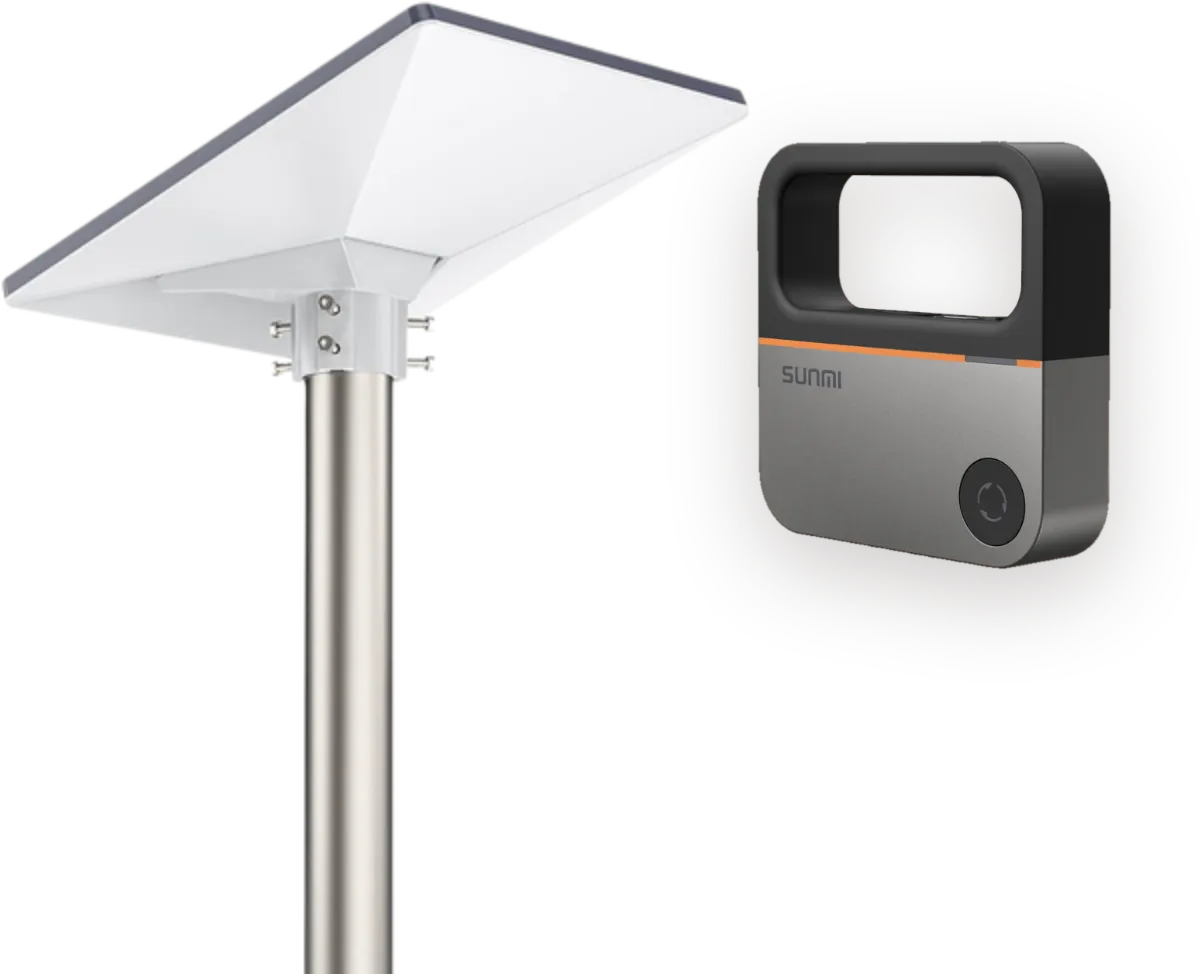
With 4 tills or more we bring the connection: a network dedicated to the tills, satellite with Starlink if needed, set up and tested before you open.
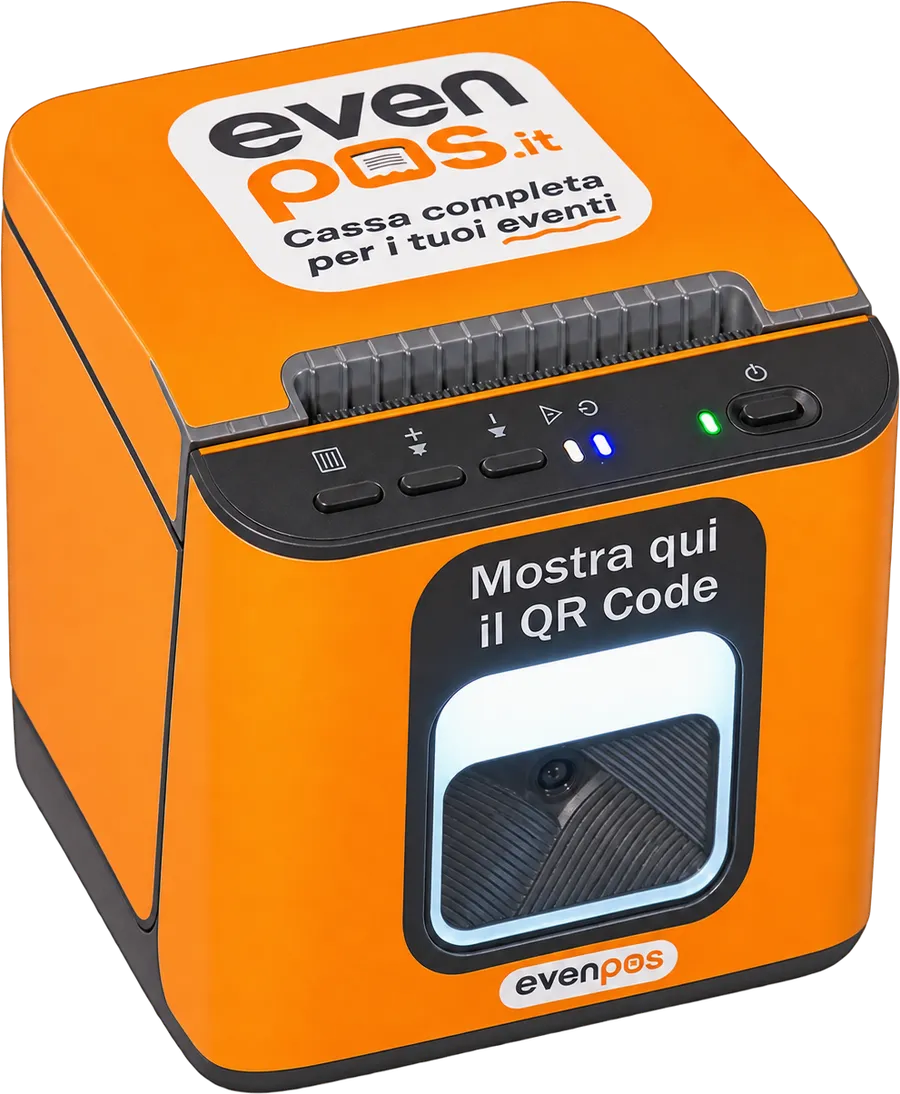
Pickup kiosk printer
A printer with a built-in QR reader at the stand: whoever paid online scans their order and collects the tickets, without going through the till.
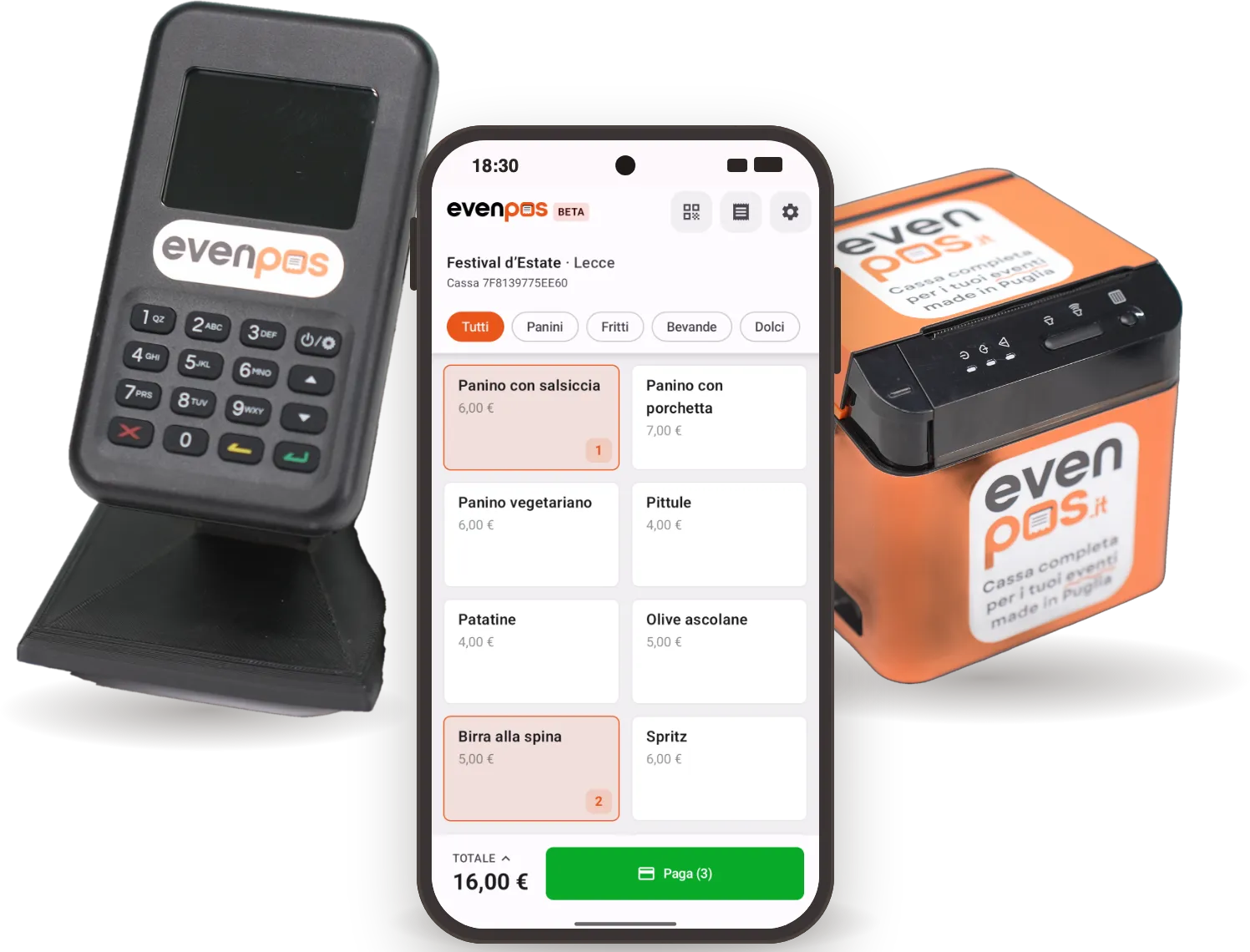
EvenPos Mobile
With EvenPos Mobile an Android phone or an iPhone becomes a complete till: it sells, takes cards with a tap or on an external terminal and, if you like, prints tickets on a small Bluetooth printer.
Ready for your next event?
Create the event now: a name, the dates and the town are enough. Prepare the rest whenever you like.